5 min read
Meetings: prepared before, written up after
The Assistant preps each meeting an hour ahead in its own thread, records it in Meeting Mode, writes it up, and turns action points into follow-ups.
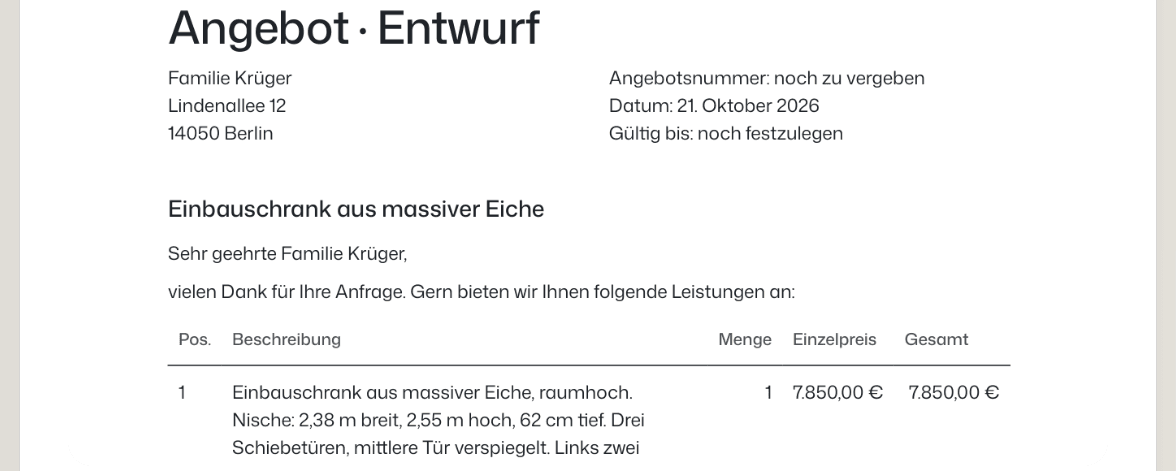
On Wednesday afternoon Michael and Anja Krüger came to the workshop about a wardrobe for their bedroom. Lena talked them through doors, panels, oak and money for half an hour, and promised a written quote by Friday. Tomorrow at half past nine she has a call with Thomas Brenner about the oak delivery that the fitting date depends on.
Two meetings, and the same two jobs every time: know what to raise before, and don't lose what was agreed after. The Assistant does both.
Meetings on the Horizon
The Horizon is the calendar strip on the home screen. Press New meeting, or press an empty stretch of the day's line, and fill in Title, Day, From and To, and if you like Where, With and What it is about. Press Add meeting.
If you have Outlook or Apple Calendar connected, the dialog asks whether to Also put it in one of them, or keep it Only werkfolk. A copy carries no guest list, so nobody gets an invitation email. Meetings you already have in a connected calendar show up on the Horizon on their own.
The Assistant can add a meeting for you too, from a line like "find a time next week for a site visit at Familie Brandt's". That comes as a card to confirm, like anything that leaves werkfolk.
Every meeting has a thread
Press a meeting on the Horizon and its thread opens, with the Assistant. The first time, the Assistant writes what is worth knowing: a prep while the meeting is still ahead, or what came of it once it has passed. Pressing it again opens the same thread and starts nothing new.
The card at the top says what, when and with whom, and where the meeting came from ("You added it to your werkfolk calendar"). Change or remove opens the meeting again. A meeting that lives in Outlook or Apple Calendar is changed there.
Prepared an hour ahead
An hour before a meeting, the Before a meeting routine runs on its own. The Assistant writes into the meeting's thread who it is with, what was last written with them if a mailbox is connected, open follow-ups with them, what the Researcher has on them, and three short points to raise. Anything it couldn't find is simply left out. If you opened the thread earlier and already have a prep, it only adds what is new.
The meeting on the Horizon says so ("Assistant prepares it"), and the thread offers to Record it until the meeting ends. Before a meeting is on from the start, at Offer. Turn it to Off, Tell or Do on the Assistant's desk under On their own. Work that runs without you explains the dial.
Recording the meeting
For the Krüger consultation Lena pressed Meeting in the command bar. The drop-down Record a meeting opens with everything already filled in.
- Name is never empty. It takes the meeting on now or starting within 15 minutes, as here, or else the date and time. Not this one clears the match.
- Listen to is always your Microphone. Switch on The call, too to share a Meet, Teams or Zoom tab so both sides are heard. That works in Chrome or Edge on a computer; elsewhere, put the call on speaker.
- Language is Detect, German or English.
Press Start recording. There is no consent box: werkfolk assumes the people in the room know they are being recorded, and making sure of that is up to you.
The live screen
The transcript fills in a minute at a time. Mark (or the B key) notes a moment worth coming back to. Pause stops recording until you resume. Your notes go into the write-up as yours. Keep working lets you leave the screen while it records, and the Meeting button in the bar brings you back.
With the microphone alone, everyone in the room is one speaker, "In the room". With the call tab shared, your side and the call's side are told apart. werkfolk does not tell individual voices apart, and it does not join the video call as a guest.
End meeting asks once: End the recording and write it up? A recording stops on its own after two hours.
The write-up
About a minute later the notes arrive in a new thread with the Assistant, named after the meeting. The meeting's card links to it with Read the write-up.
A write-up has the same shape every time: a short summary, what was Decided, the Action points as what, who and when, notes by subject, and the moments you marked. It is written in the meeting's language, and only from what was said. Two files come with it, the transcript as a Word file and the recording itself, kept in Files, visible only to you, and the recording can be deleted at any time.
Action points become follow-ups
Under the write-up, a card lists the action points with Make them all follow-ups, or Make a follow-up on any single one. A follow-up is a what, a who and a day that the Assistant keeps and reminds you of.
The same offer turns up on the home screen under On their own: "Three follow-ups from the meeting", one press on Make them, with Undo after. Made follow-ups are on the Follow-ups screen.
What to know
- Recording works in a browser, on a computer or a phone. A phone's browser hears the microphone only. The werkfolk phone app sends you to the browser for this.
- The audio of each minute is not kept, only its words. The full recording is the one file saved at the end.
- If the tab is closed mid-meeting, werkfolk asks first. If it closes anyway, the meeting is written up later from the words that already arrived.
- Nothing is sent from a write-up. An email to the Krügers is a draft on a card until you send it.
Where to go next
Try it on your own business.
One subscription covers all five AI Employees and everything in these articles.