Hire AI Employees.Keep the final say.

Five of them, for your small business. Call them, hand them the paperwork, and get back the spreadsheet, the PDF and the deck. Emails, bookings and schedules wait for your yes.

No password. We email you a link, and it signs you in.

  • No card to sign in
  • Five AI Employees, one price
  • Works in your phone's browser
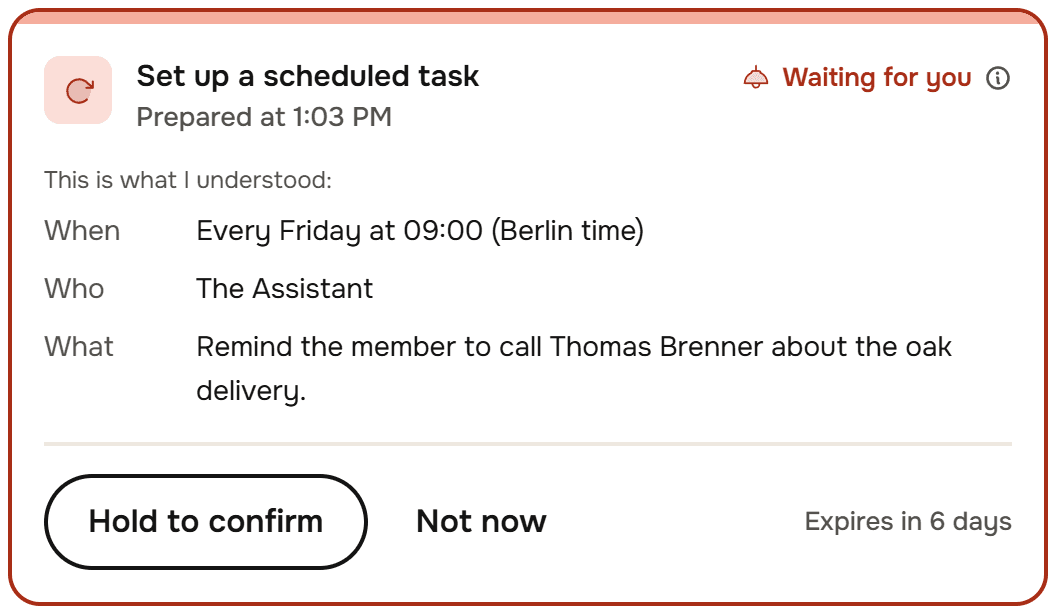
A card, Waiting for you: Set up a scheduled task. Every Friday at 09:00, Berlin time, the Assistant reminds you to call Thomas Brenner about the oak delivery. Hold to confirm or Not now.

Five AI Employees.One price, all of them.

The Assistant and the Accountant come with every account. Hire the Marketer, the Sales Rep and the Researcher from the catalog at no extra cost, and give each a name and a photo if you like.

The Assistant

Takes your calls, handles mail and the calendar, prepares your meetings and chases what needs chasing.

The Accountant

Keeps on top of receipts, invoices and the bank, and answers what the books say.

The Marketer

Drafts the posts, newsletters and offers that get the word out, in your own words.

The Sales Rep

Prepares quotes and follow-ups, and works through your leads with you.

The Researcher

Looks into suppliers, competitors and the market, on the web and in what you share.

Call them.Keep working.

  1. Talk, the way you would to a colleague.

    Press Call and speak to your Assistant, or any AI Employee, from the browser. No phone number, no menu.

  2. The work happens while you talk.

    Each thing you ask is handed over and answered in the call's own thread, with the steps it took to get there.

  3. What sticks waits for your yes.

    A weekly reminder, an email or a meeting comes back as a card. Confirm it on the call, or later.
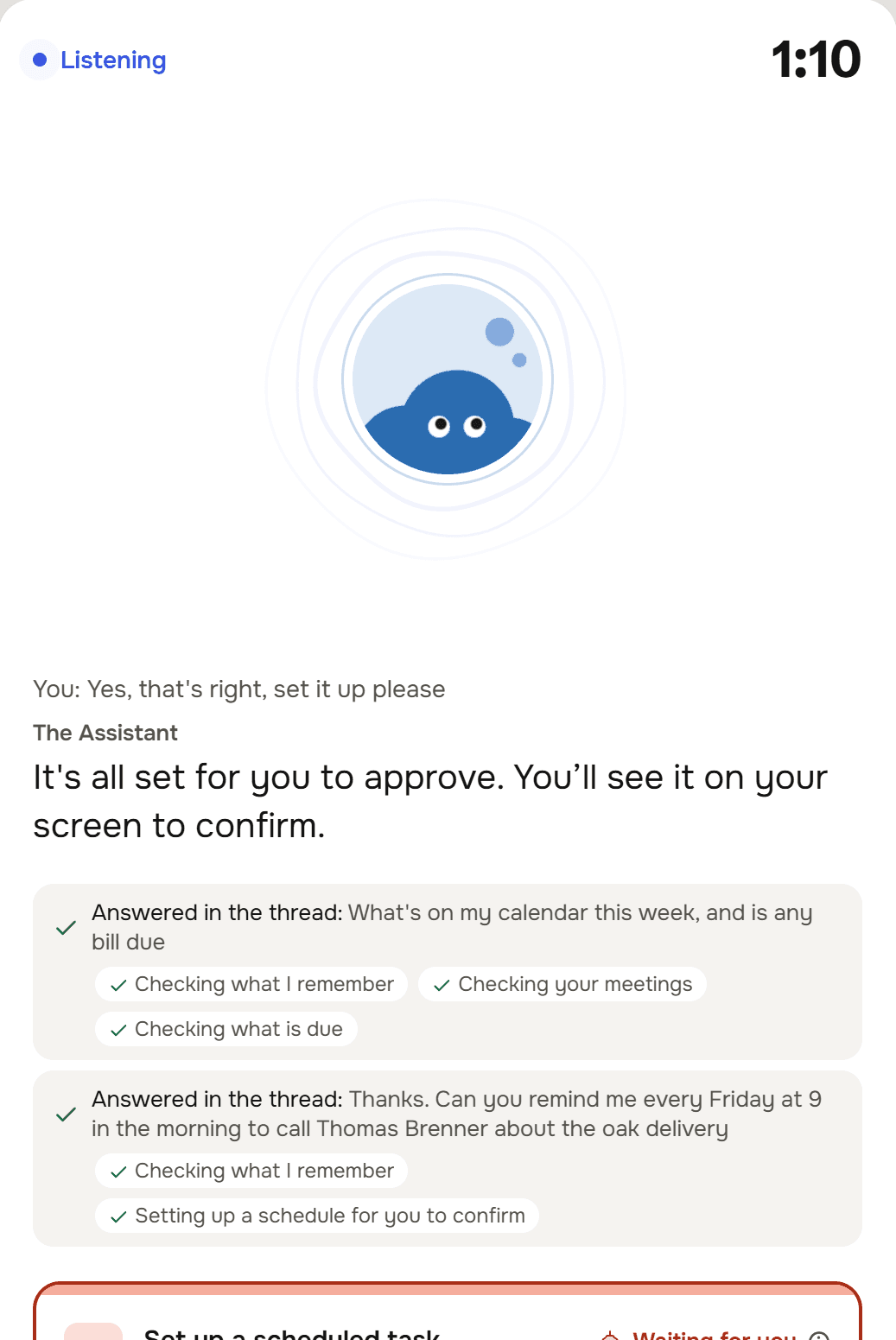
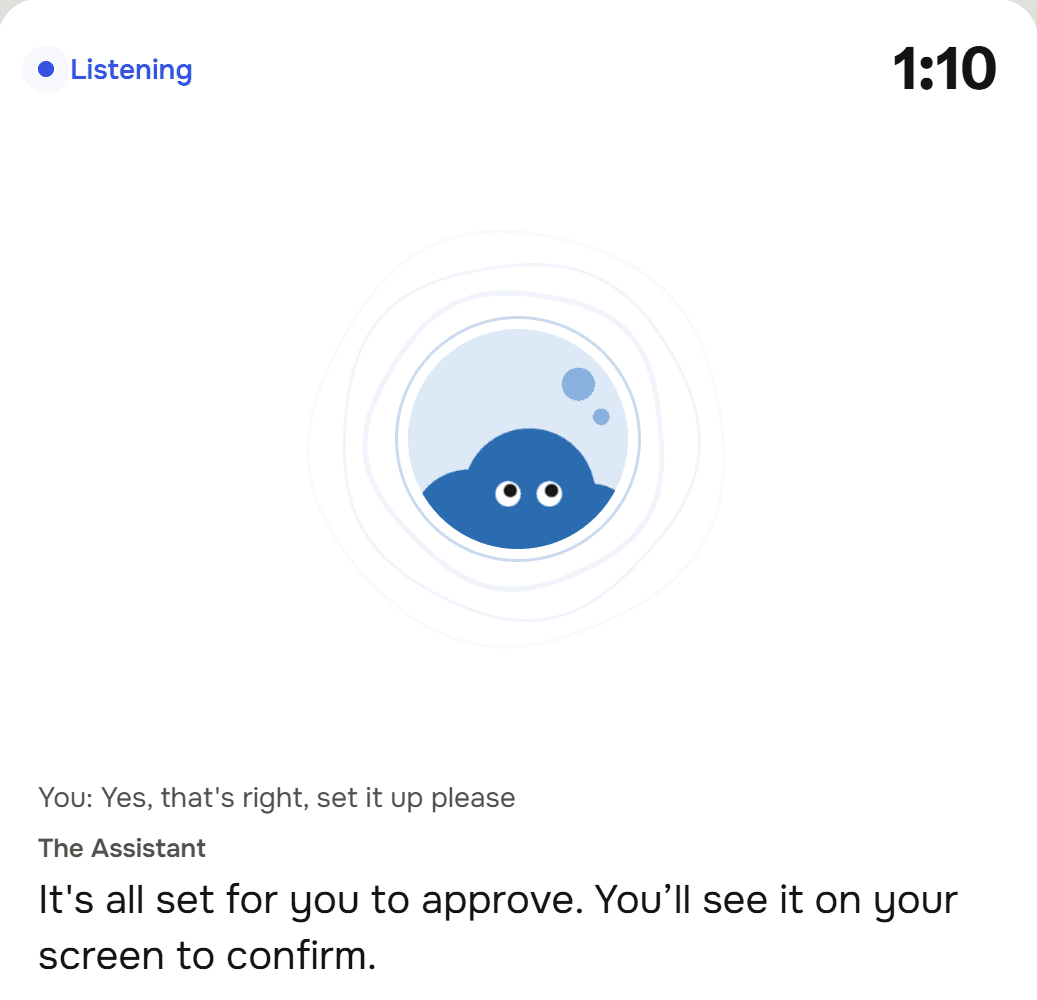
A call with the Assistant at 1:10, Listening: the Assistant's face, the last thing said, It's all set for you to approve, and two rows Answered in the thread, with the steps Checking what I remember, Checking your meetings, Checking what is due and Setting up a schedule for you to confirm.
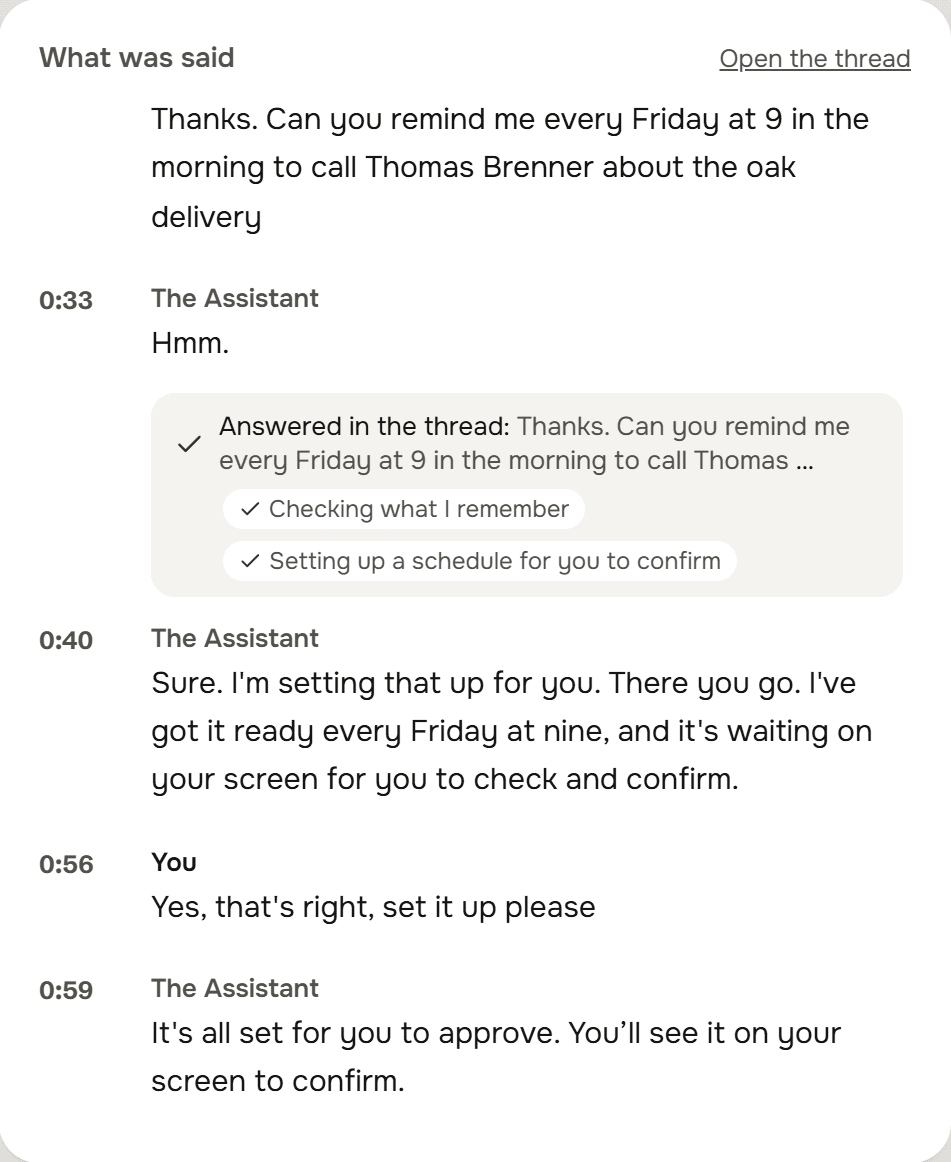
What was said on the call, with times: Thanks. Can you remind me every Friday at 9 in the morning to call Thomas Brenner about the oak delivery. The Assistant: Sure. I'm setting that up for you. You: Yes, that's right, set it up please.
A card, Waiting for you: Set up a scheduled task. When: every Friday at 09:00, Berlin time. Who: the Assistant. What: remind the member to call Thomas Brenner about the oak delivery. Hold to confirm, Not now, Expires in 6 days.
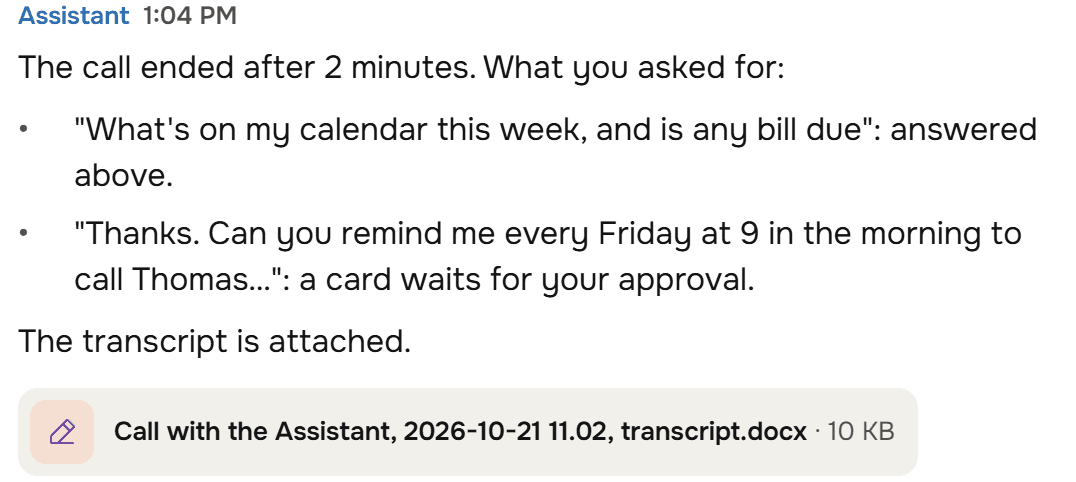
The Assistant, after the call: The call ended after 2 minutes. What you asked for, each answered above or waiting for your approval. The transcript is attached, as a Word file.

They sit in.They write it up.

  1. Press Meeting and talk.

    The Assistant listens and writes down what was said, a minute at a time, while you look your customer in the eye.

  2. The write-up is ready when you stand up.

    What was decided, the action points, the numbers and the dates, with the whole transcript as a Word file.

  3. Action points become follow-ups.

    One press, and each one is a follow-up with a name and a date, back in front of you on the day it falls due.

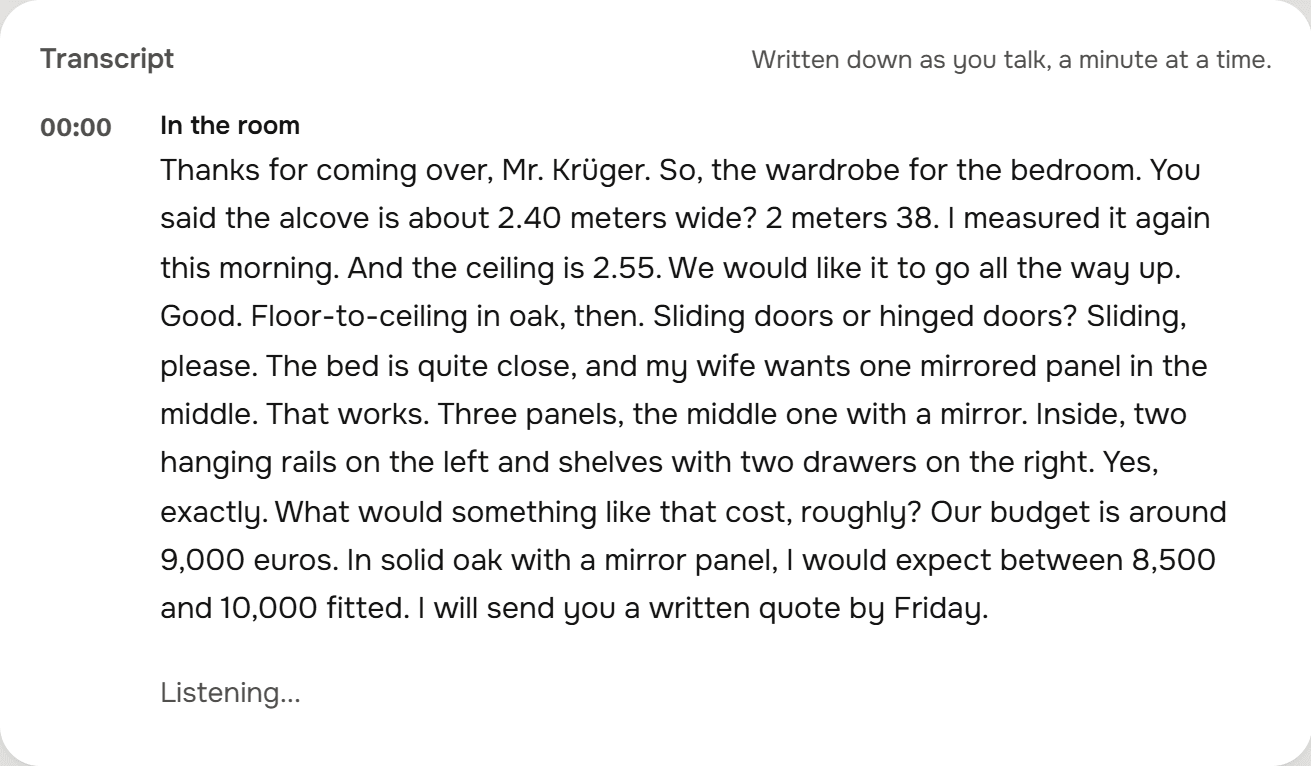
Meeting Mode recording Wardrobe consultation with Familie Krüger at 01:15: The Assistant is listening, with Mark, Pause, Keep working and End meeting.
The transcript, written down a minute at a time: the alcove is 2 meters 38, floor-to-ceiling in oak with sliding doors and a mirrored middle panel, a budget of around 9,000 euros, and a written quote by Friday.
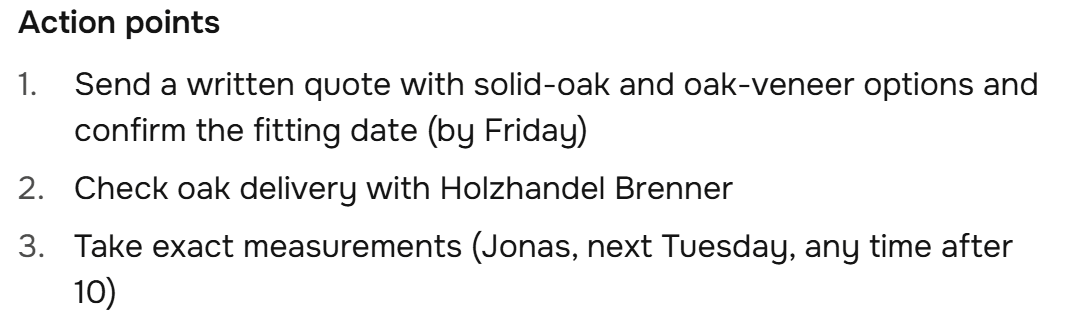
The write-up's action points: send a written quote with solid-oak and oak-veneer options and confirm the fitting date by Friday; check the oak delivery with Holzhandel Brenner; take exact measurements, Jonas, next Tuesday after 10.
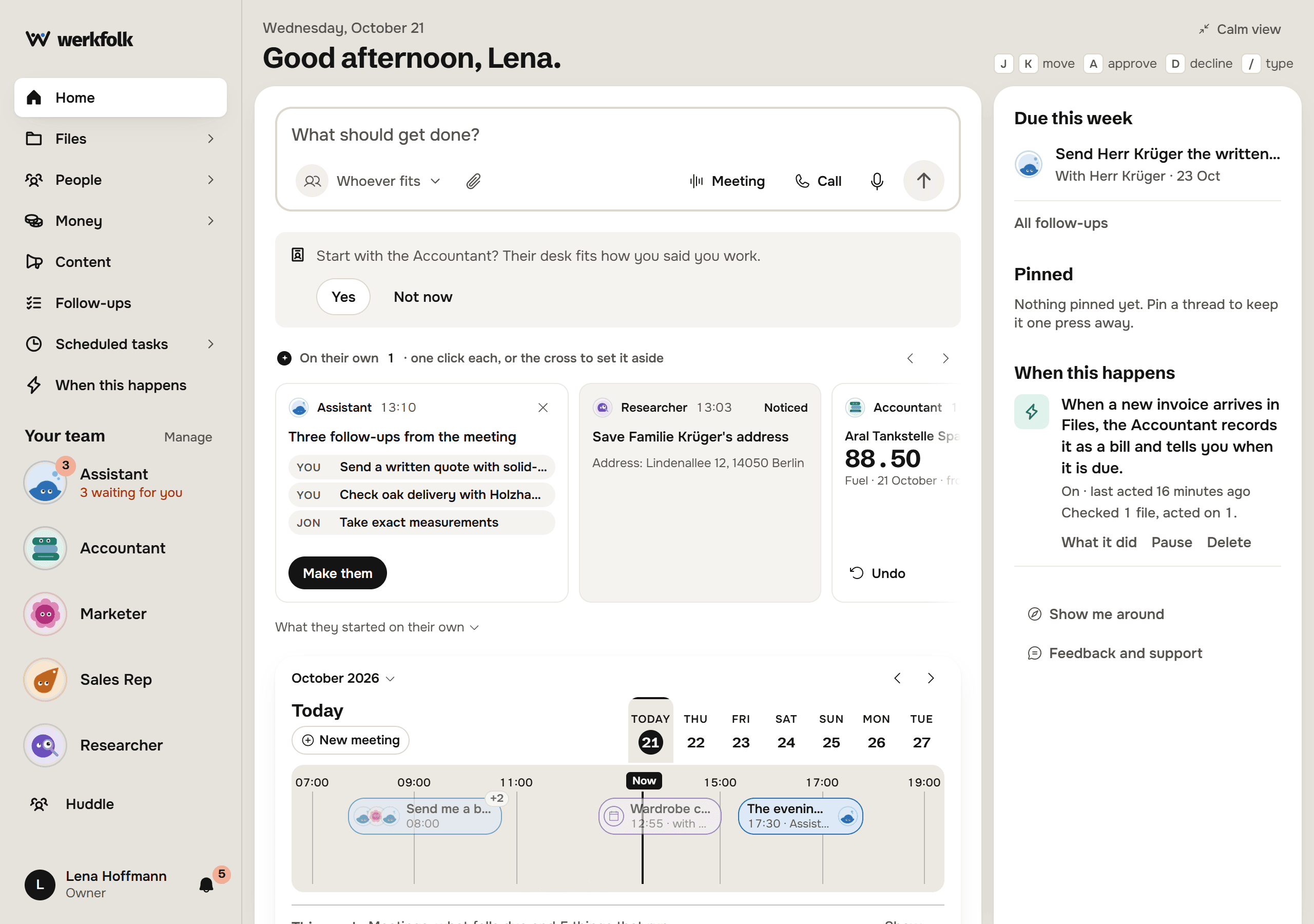
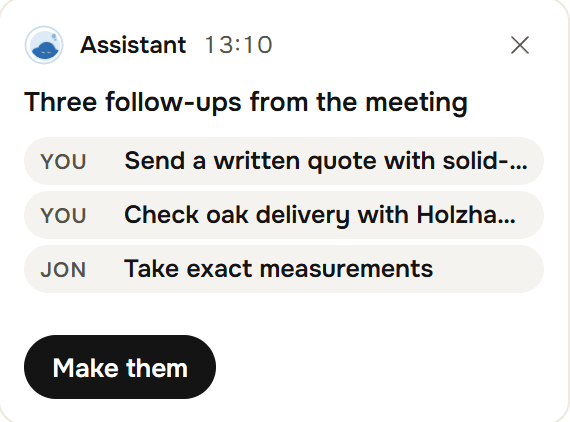
A card from the Assistant on the home screen: Three follow-ups from the meeting, for you and for Jonas, and the button Make them.

Ask for the file.Get the file.

  1. Two exports in, one answer out.

    The books and the bank statement for August, and the question: what doesn't match? The answer is a table, not a paragraph.

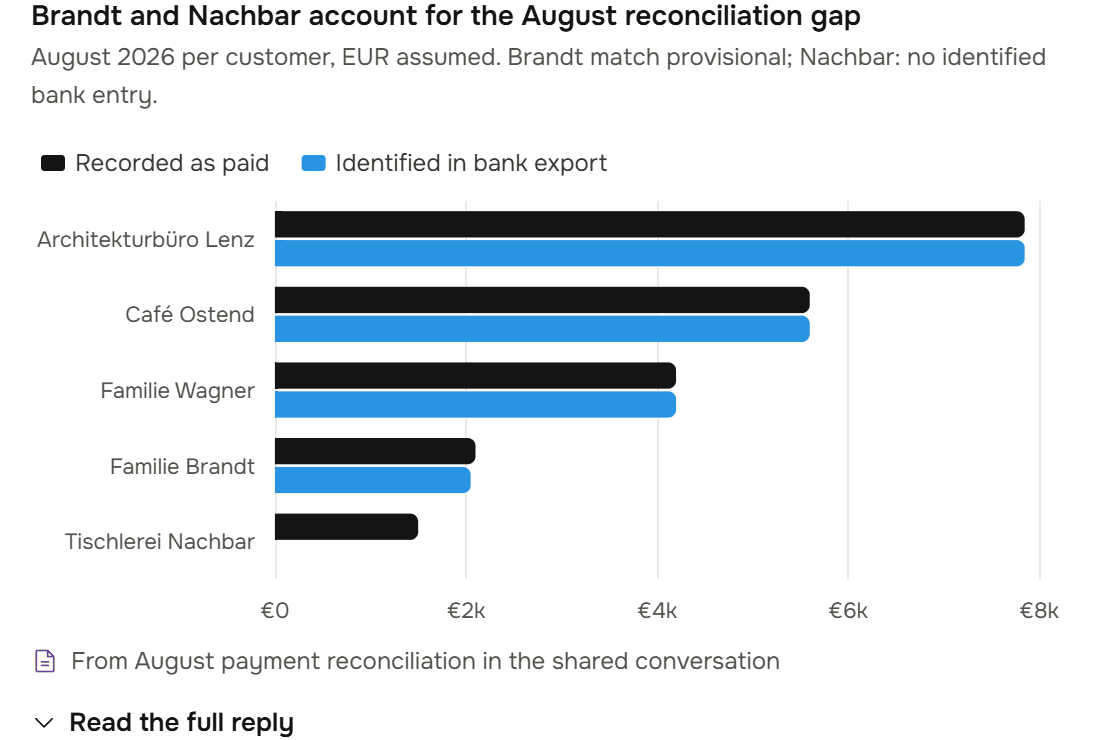
  2. A chart drawn from the sums.

    The program that did the arithmetic draws the chart, so the figure on the chart is the figure in the file.

  3. Then the PDF and the deck.

    A one-page PDF for the bookkeeper and five slides for Monday as editable PowerPoint, each looked over page by page before you see it.
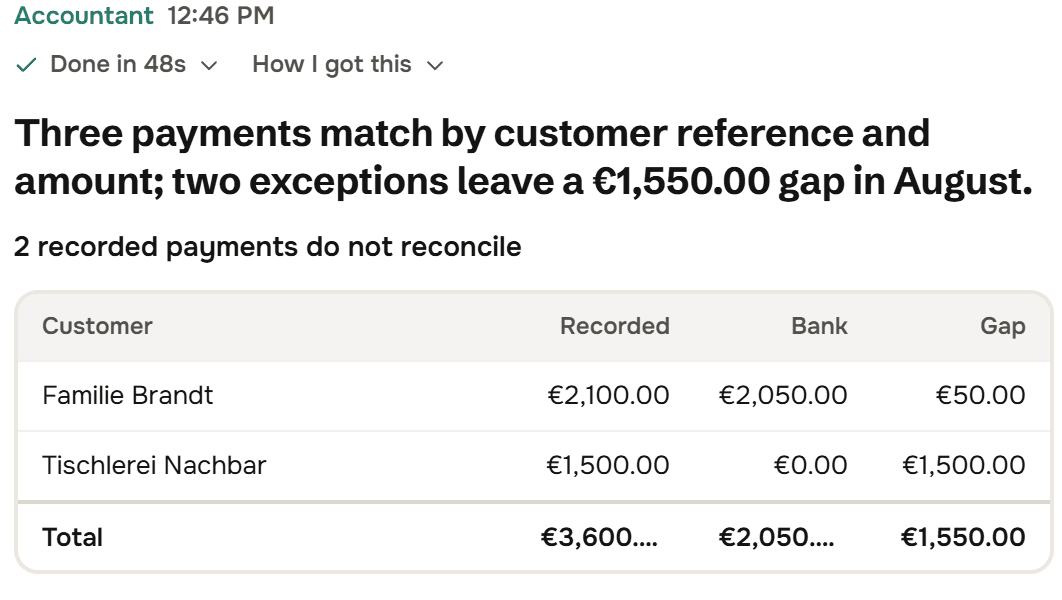
The Accountant: Three payments match by customer reference and amount; two exceptions leave a 1,550 euro gap in August. A table of the two: Familie Brandt 50 euros short, Tischlerei Nachbar with no bank entry.
A bar chart drawn in the reply: recorded as paid against identified in the bank export, for each customer, with no bank bar for Tischlerei Nachbar.
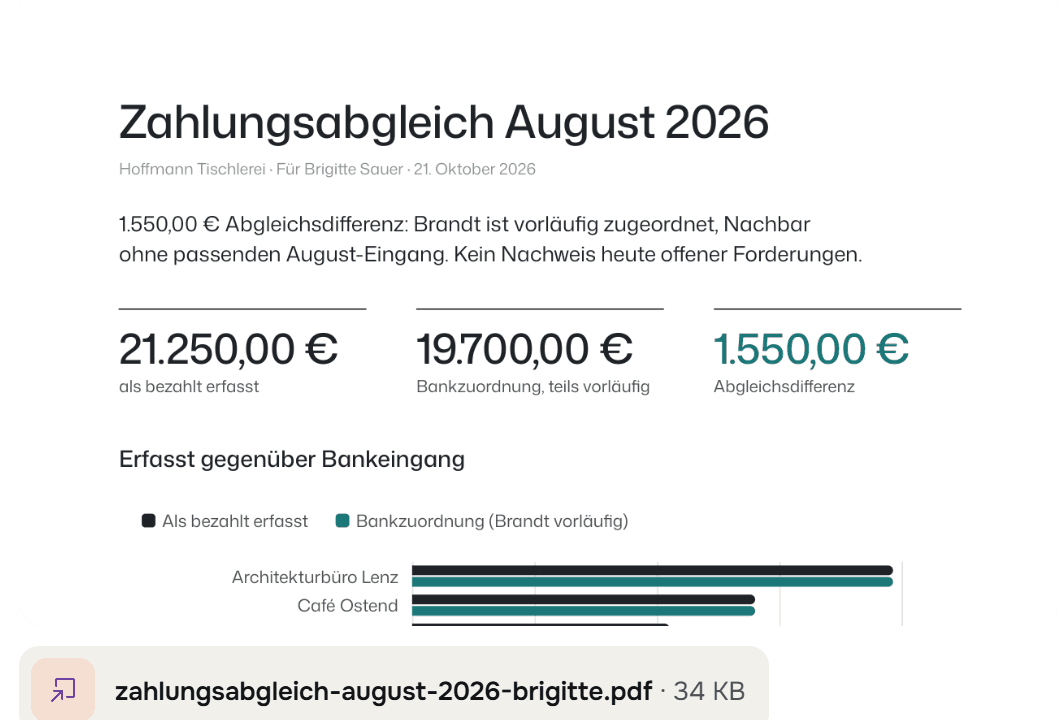
The first page of the one-page PDF for Brigitte, the bookkeeper, in German: the totals, the gap and the chart, with the file zahlungsabgleich-august-2026-brigitte.pdf.
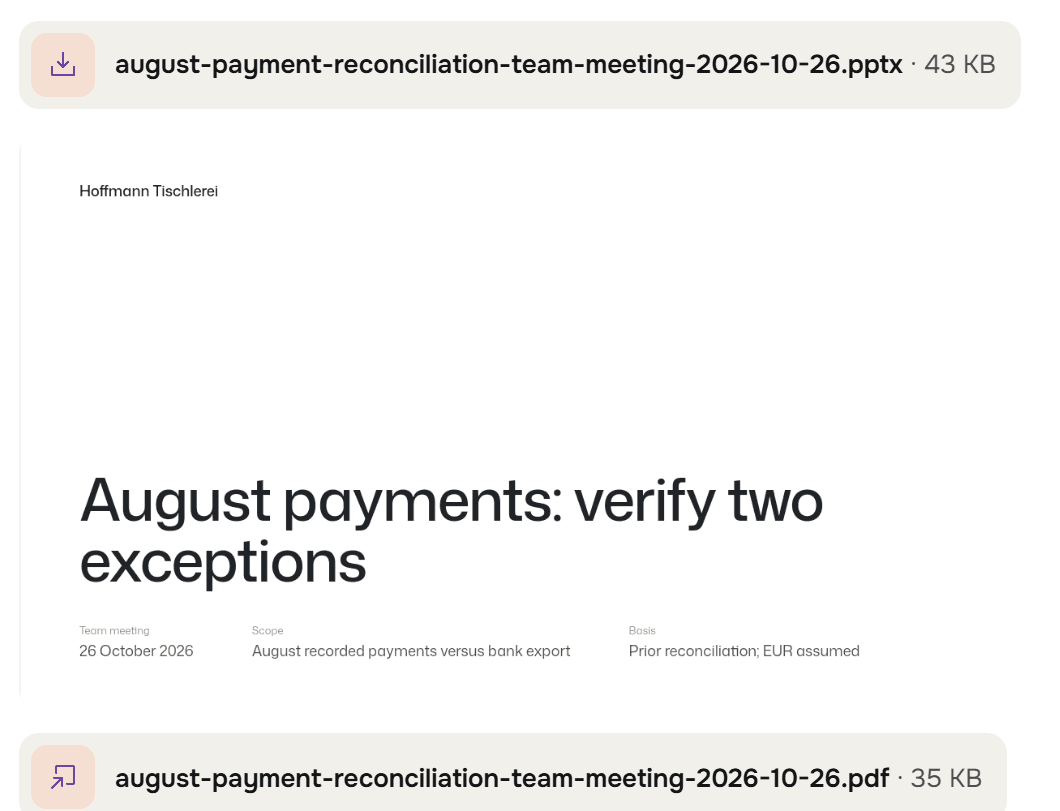
The deck for Monday's team meeting: the editable .pptx, the first slide, August payments: verify two exceptions, and the PDF of the slides.

Hand them this week's receipts. Signing in takes your email and nothing else.

Keep the final say.On what goes out.

  1. An email is a draft until you send it.

    Every word editable, with Shorter, Friendlier, More formal and Proofread. It goes from your own mailbox when you say so.

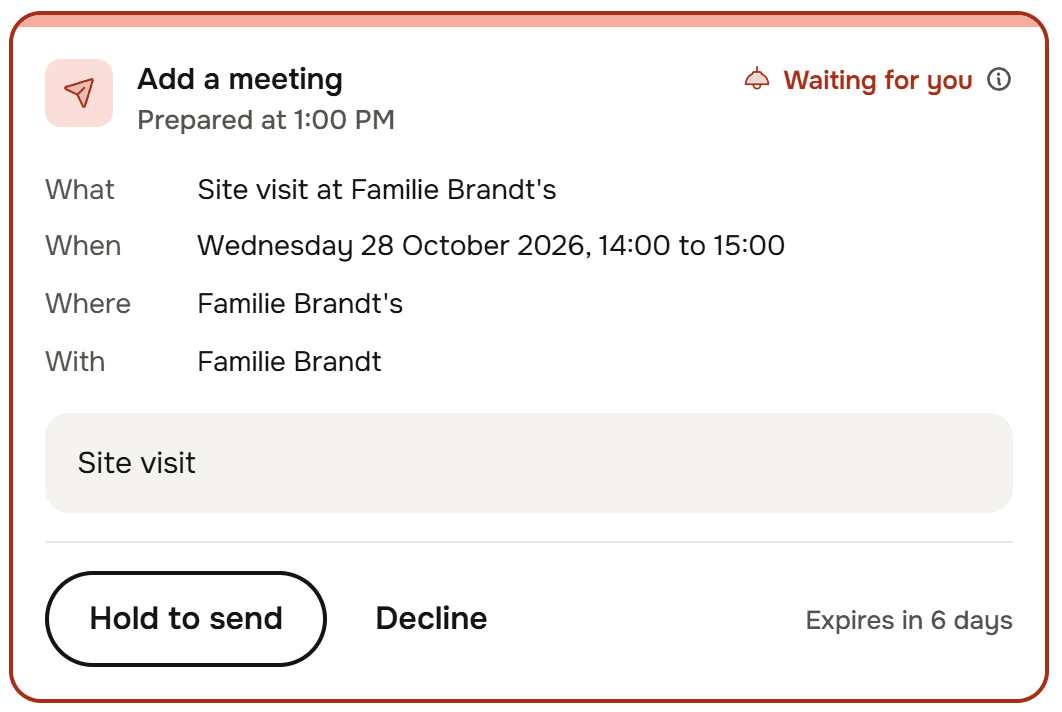
  2. So is a booking, and a schedule.

    A meeting for your calendar or work that should run every week is a card that says what, when and who. Nothing happens until you hold it.

  3. All of it at the top of Today.

    What waits for you is first in the list. Press A to approve or D to decline, with a reason if you like.
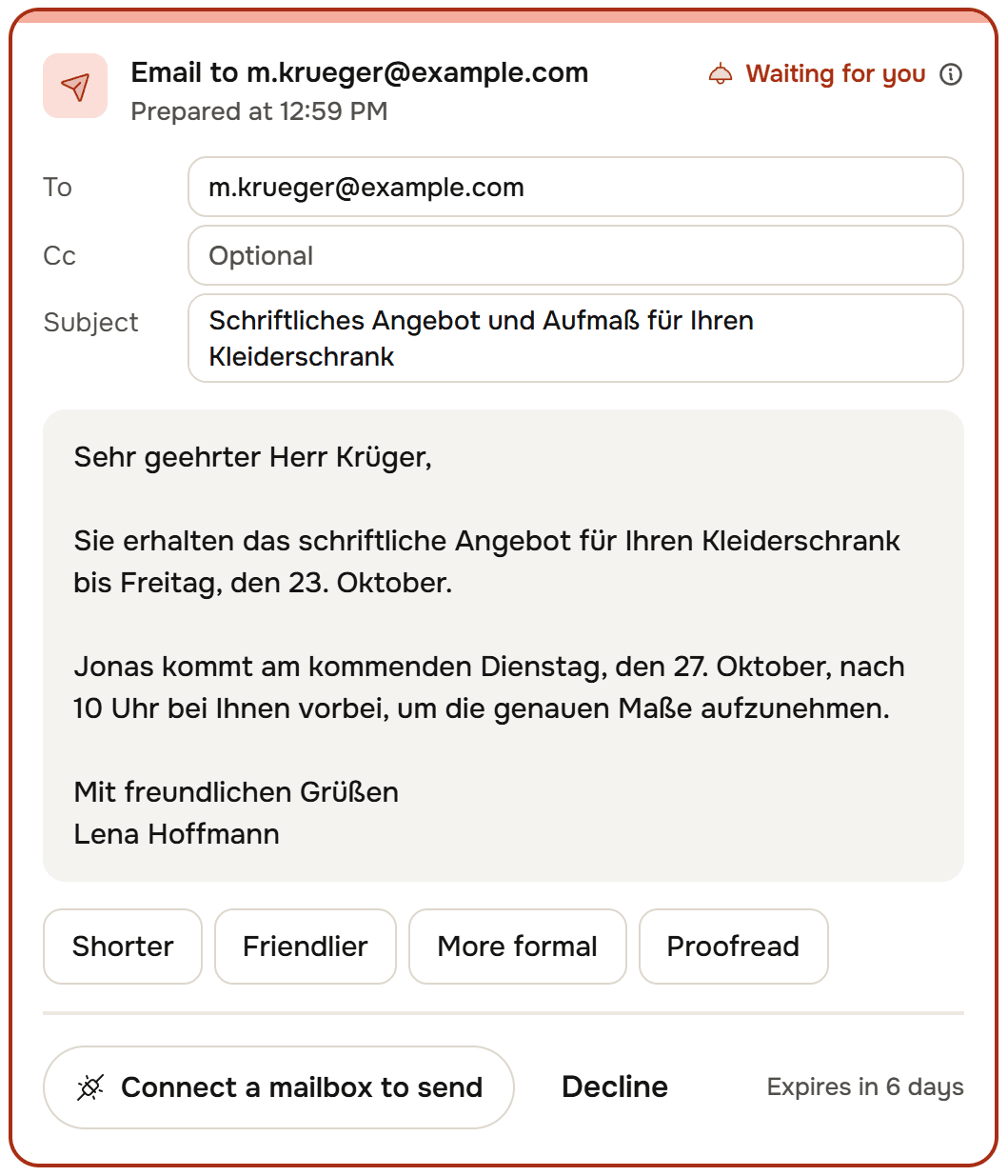
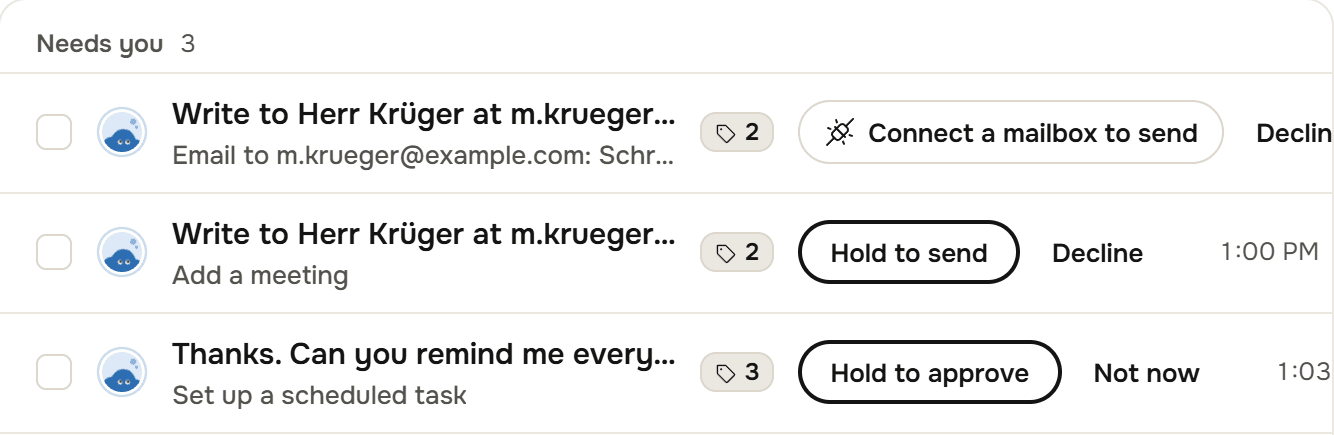
An email card, Waiting for you: to m.krueger@example.com, the subject and the whole message in German, the buttons Shorter, Friendlier, More formal and Proofread, Connect a mailbox to send, Decline, Expires in 6 days.
A card, Waiting for you: Add a meeting. What: site visit at Familie Brandt's. When: Wednesday 28 October 2026, 14:00 to 15:00. With the buttons to hold and to decline.
Needs you, 3, at the top of the Today list: the email to Herr Krüger, a meeting to add and a scheduled task, each with its buttons in the row.

Legwork on the web,in front of you.

  1. Ask for the part, the price or the opening hours.

    The Researcher opens the supplier's site in a real browser and goes looking, the way you would.

  2. Watch it, or take over.

    The browser is live beside the thread. Take over to click and type yourself, then hand it back.

  3. An answer with its sources.

    The reply names the pages it checked. A search goes at once; any other form waits five seconds for you to stop it.
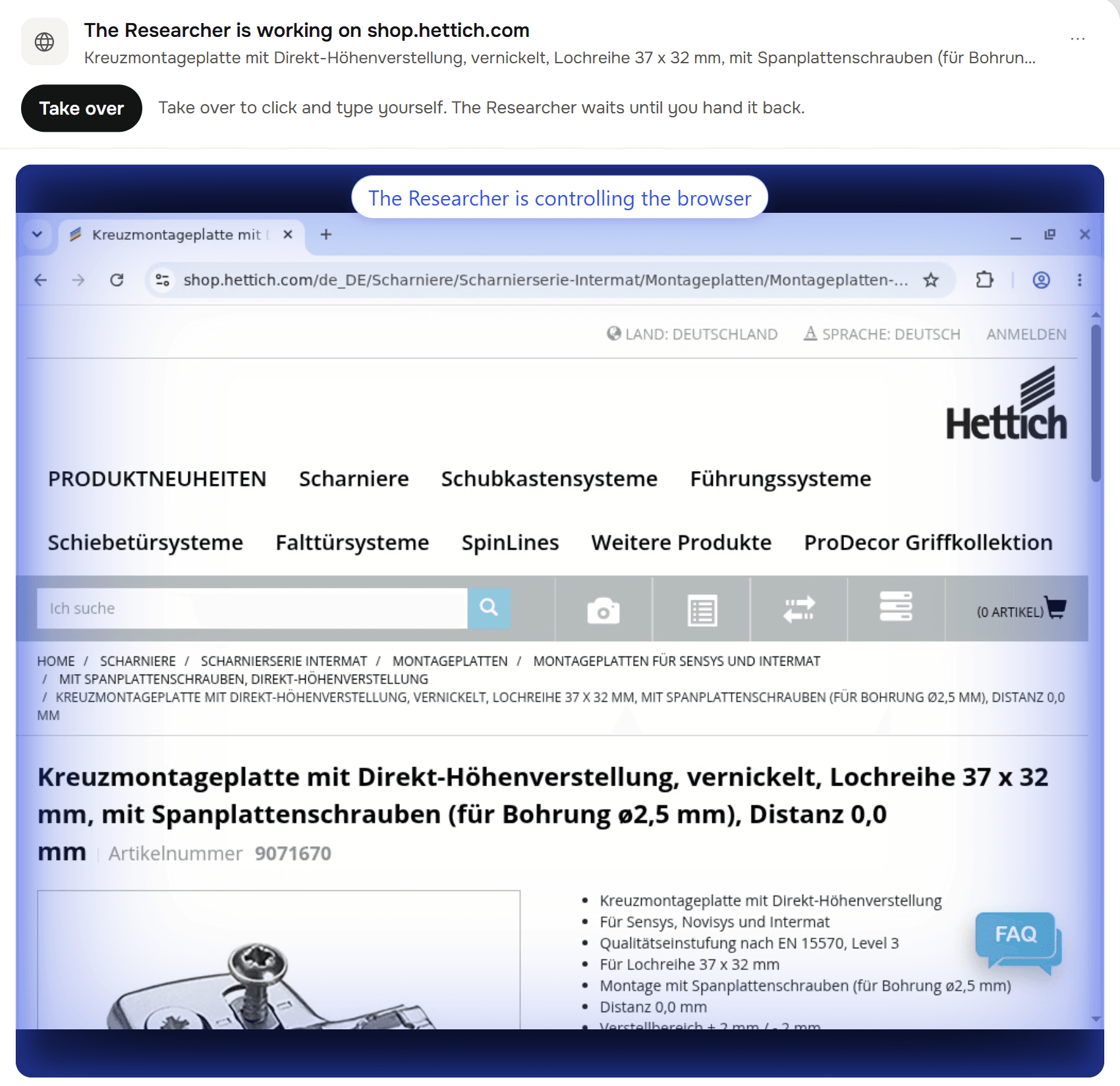
The Researcher is working on shop.hettich.com: a live browser on a Hettich mounting plate page, the chip The Researcher is controlling the browser, and Take over.
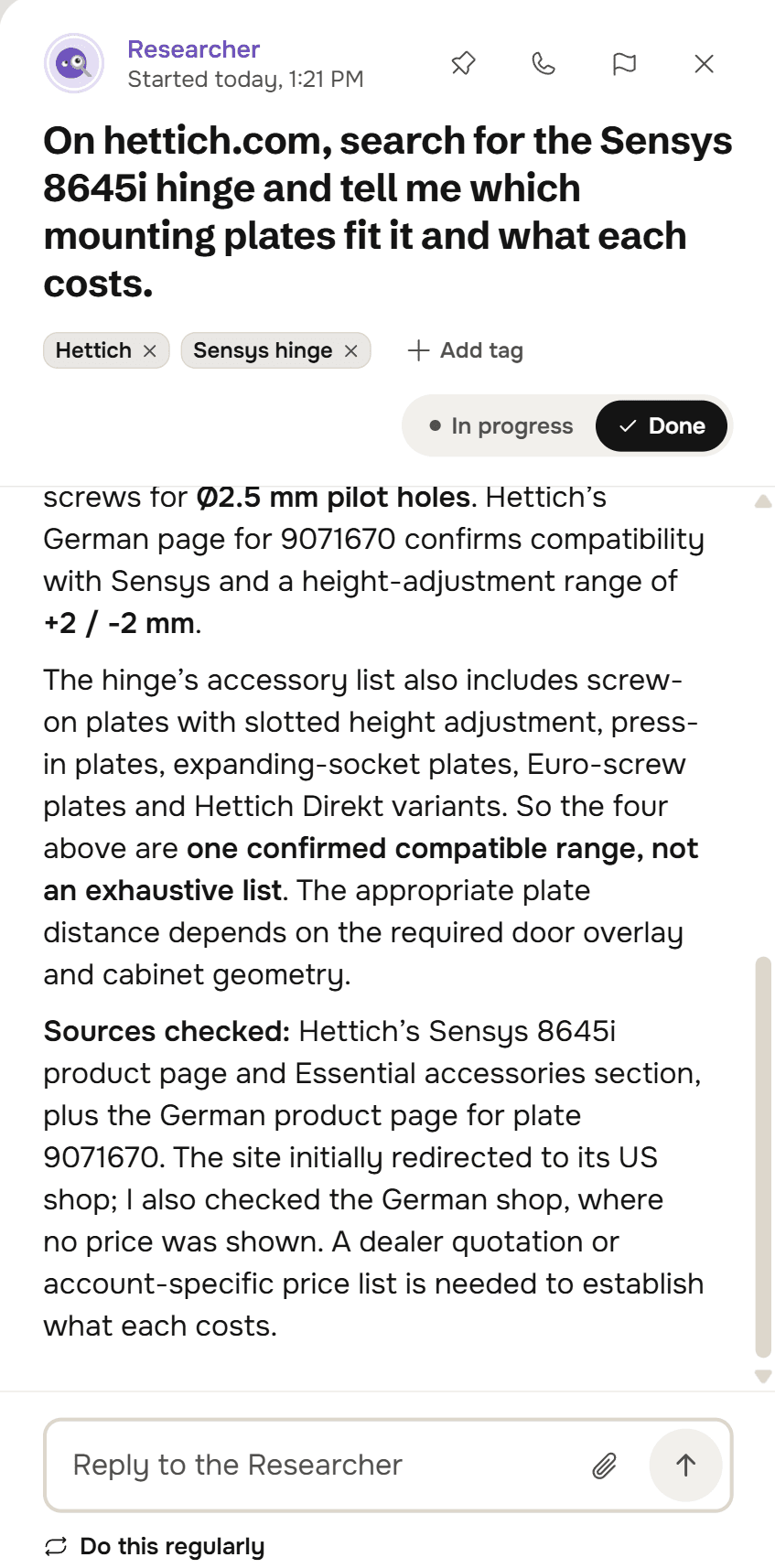
The Researcher's answer about mounting plates for the Hettich Sensys 8645i hinge, and the sources it checked: the product page, the accessories section and the German shop.

Every thread, date and euro.In its place.

Every request is a thread.

Each one on the Today list with up to three tags, marked done or in progress, and what needs you at the top.
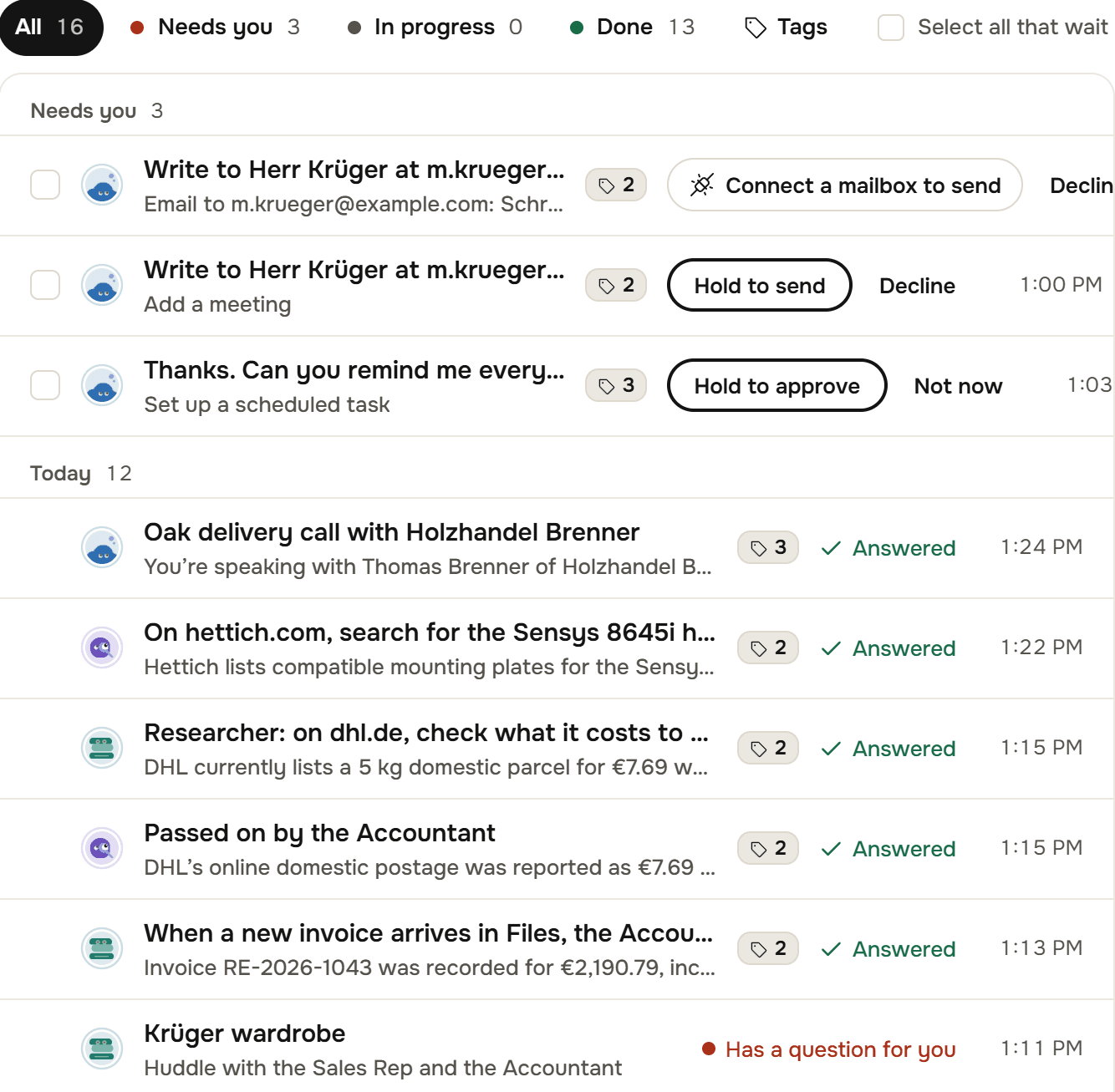
The Today list: All 16, Needs you 3, In progress, Done 13 and Tags, then three rows waiting with their buttons, and today's threads from the Assistant, the Researcher and the Accountant, each with its tags and Answered.

The week on one line.

Meetings, what falls due and the work that runs on its own, placed on the hours of the day.
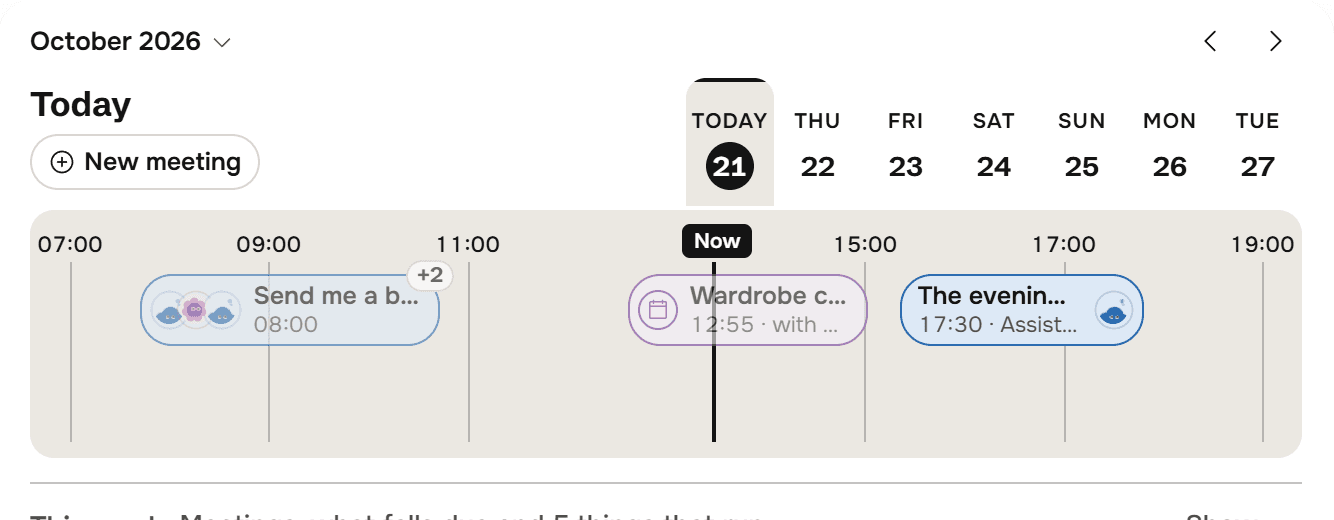
The Horizon for today: day tabs from Wednesday 21 to Tuesday 27, the hours from 07:00 to 19:00 with a Now flag, and a morning briefing, a meeting and the evening wrap placed on the line.

The money, kept as it lands.

Receipts recorded from Files, the bills to pay and the quotes out, totalled per currency, with CSV and Excel.
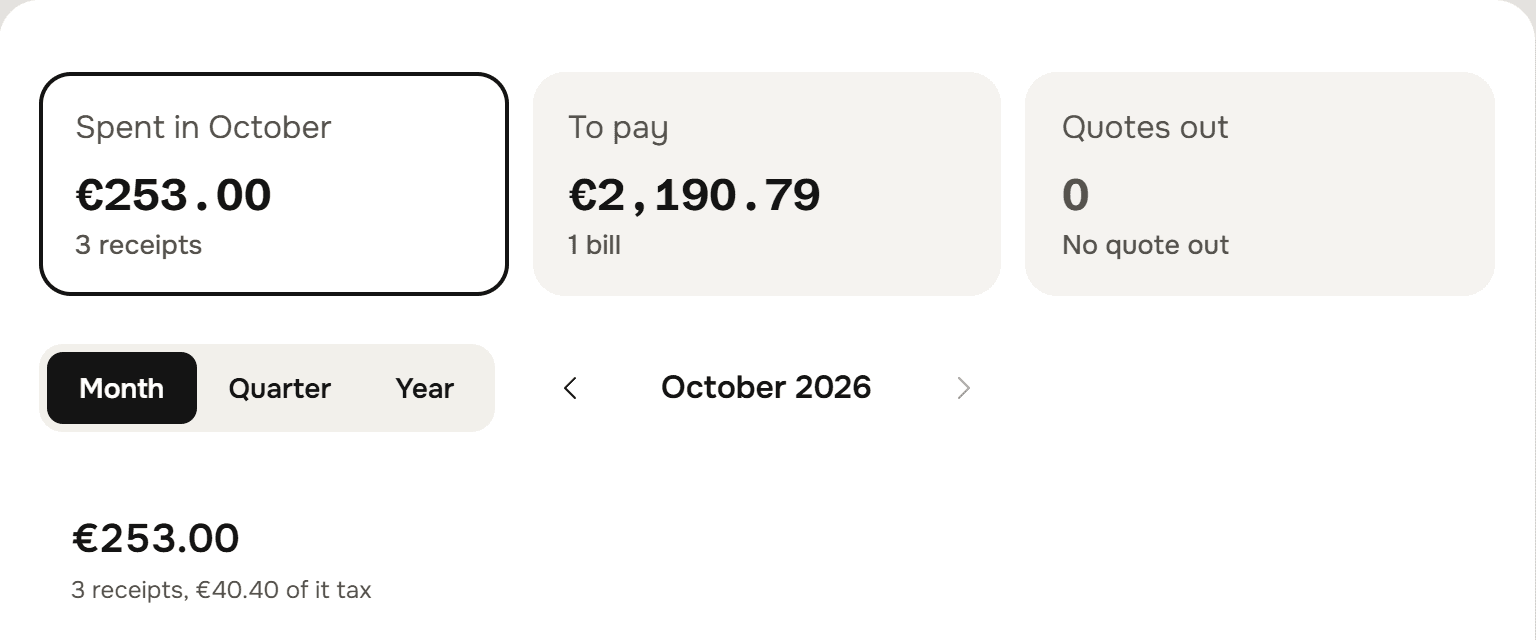
The Money screen: Spent in October 253.00 euros from 3 receipts, To pay 2,190.79 euros for 1 bill, Quotes out 0, and the Month, Quarter and Year switch.

A team of five.You give the orders.

The Assistant and the Accountant come with every account, and the Marketer, the Sales Rep and the Researcher join when you hire them. Give each a name and a photo. They work in one account with you, and every thread and file in it is open to all five.
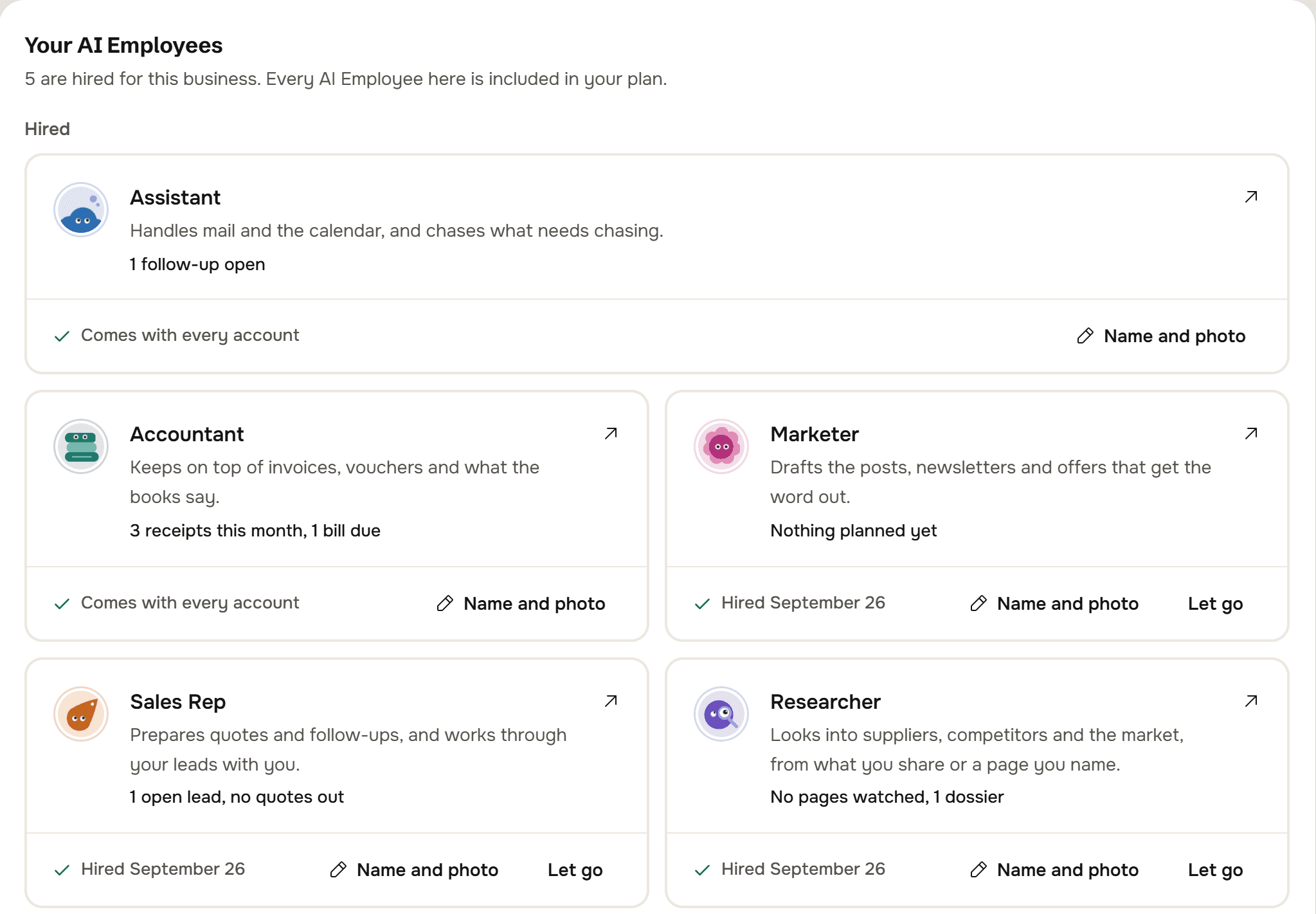
The AI Employees screen for Hoffmann Tischlerei: 5 are hired for this business, and every AI Employee here is included in your plan. The Assistant and the Accountant come with every account; the Marketer, the Sales Rep and the Researcher were hired on September 26. Each has Name and photo.

Before you decide.

Hire them this afternoon.

Sign in with your email, tell them about the business, and hand over the first job before your coffee goes cold.

No password. We email you a link, and it signs you in.

€399a month

or €3,990 a year

  • All five AI Employees
  • Calls and Meeting Mode included
  • Change or cancel it yourself
Compare monthly and yearly